


This Book is Out of Stock!
English




Paperback
₹2285
₹2494
8.38% OFF
(All inclusive*)
Delivery Options
*COD & Shipping Charges may apply on certain items.
Review final details at checkout.
Looking to place a bulk order? SUBMIT DETAILS

Piracy-free

Assured Quality

Secure Transactions
About The Book
Description
Author
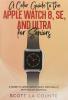
<p><strong style=color: rgba(0 176 80 1)>A Full Color Guide to the Apple Watch Series 8 / SE (Second Generation) / Ultra and WatchOS 9 with sections just for seniors!</strong></p><p><br></p><p><span style=color: rgba(0 0 0 1)>Who would have ever guessed that you could have a computer more powerful on your wrist than the one you had on your desktop 20 years ago? It's crazy isn't it!</span></p><p><br></p><p><span style=color: rgba(0 0 0 1)>This </span><strong style=color: rgba(0 0 0 1)>full color </strong><span style=color: rgba(0 0 0 1)>guide teaches you all the things you need to know about Apple's smartwatch.</span></p><p>Using it is not difficult. But using all the most powerful features can take some getting used to. You'll probably be surprised at the amount of features you didn't even know existed.</p><p><br></p><p>Seeing images in B&amp;W is helpful but over the years I've discovered that many readers prefer to see them in full color as they appear in real life; this manual was created from a B&amp;W version that I am also selling.&nbsp;</p><p><br></p><p><strong style=color: rgba(0 0 0 1)>The book is intended for both people who are upgrading and people who have never used it.</strong><span style=color: rgba(0 0 0 1)> And unlike many guides out there it's also in full color!&nbsp;</span></p><p><br></p><p>Inside you will learn:</p><p><br></p><ul><li><strong style=color: rgba(0 0 0 1)>What's new in WatchOS 9&nbsp;</strong></li><li><strong style=color: rgba(0 0 0 1)>The differences between all of the different watches&nbsp;</strong></li><li><strong style=color: rgba(0 0 0 1)>What the Apple Watch Series 8 SE and Ultra can (and can't) do&nbsp;</strong></li><li><strong style=color: rgba(0 0 0 1)>WatchOS gestures.&nbsp;</strong></li><li><strong style=color: rgba(0 0 0 1)>Understanding blood oxygen levels and ECG.</strong></li><li><strong style=color: rgba(0 0 0 1)>Using the Handwashing app.</strong></li><li><strong style=color: rgba(0 0 0 1)>Tracking sleep.</strong></li><li><strong style=color: rgba(0 0 0 1)>Finding installing updating and removing apps from your Apple Watch.&nbsp;</strong></li><li><strong style=color: rgba(0 0 0 1)>Using different Apple Watch features (such as SOS Breathe compass).&nbsp;</strong></li><li><strong style=color: rgba(0 0 0 1)>Using different Apple Watch apps (such as Calendar Reminders Music).&nbsp;</strong></li><li><strong style=color: rgba(0 0 0 1)>Getting driving directions with the Apple Watch.&nbsp;</strong></li><li><strong style=color: rgba(0 0 0 1)>Using Siri on the Apple Watch.&nbsp;</strong></li><li><strong style=color: rgba(0 0 0 1)>Changing and sharing watch faces.&nbsp;</strong></li><li><strong style=color: rgba(0 0 0 1)>Sending / receiving messages emails and phone calls from your Apple Watch.&nbsp;</strong></li><li><strong style=color: rgba(0 0 0 1)>Doing a workout with the Apple Watch Series 8.&nbsp;</strong></li><li><strong style=color: rgba(0 0 0 1)>Watch accessories.&nbsp;</strong></li><li><strong style=color: rgba(0 0 0 1)>And much more!&nbsp;</strong></li></ul><p><br></p><p><span style=color: rgba(0 0 0 1)>Are you ready to start enjoying your new Apple Watch? Then let's get started! Note: this guide is not endorsed by Apple Inc. and should be considered unofficial.</span></p>
Piracy-free
Assured Quality
Secure Transactions
*COD & Shipping Charges may apply on certain items.
Review final details at checkout.
₹2285
₹2494
8% OFF
Paperback
Out Of Stock
All inclusive*
Details
ISBN 13
9781629175706
Publication Date
-11-11-2022
Pages
-162
Weight
-298 grams
Dimensions
-178x254x8.8 mm
