

English


₹5073
₹5762
11.96% OFF
(All inclusive*)
Paperback
Delivery Options
Please enter pincode to check delivery time.
*COD & Shipping Charges may apply on certain items.
Review final details at checkout.
Looking to place a bulk order? SUBMIT DETAILS
Delivery Options
Please enter pincode to check delivery time.
*COD & Shipping Charges may apply on certain items.
Review final details at checkout.
About The Book
Description
Author
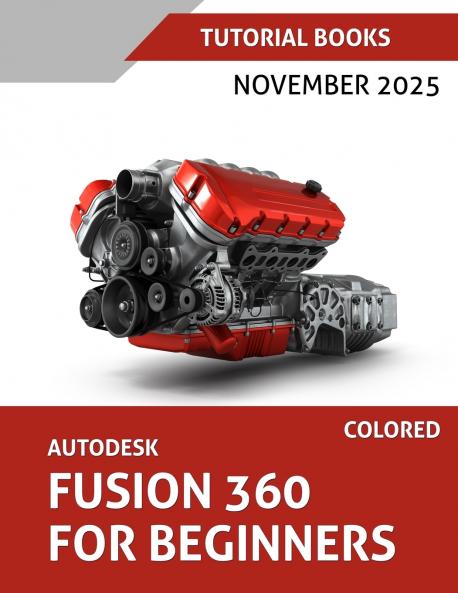
<p><strong>A Practical Beginner's Guide to Learning Autodesk Fusion 360</strong></p><p>Autodesk Fusion 360 for Beginners is written for anyone who wants a straightforward start in 3D design. Whether you are a student learning CAD for the first time a hobbyist using 3D printing or CNC machines or an engineer picking up Fusion 360 for practical work this book guides you through the software in a clear steady way.</p><p></p><p>The book blends explanation with real modelling tasks making it an ideal self-study resource. It also works well as a classroom reference or a practical guide for anyone transitioning from other CAD platforms.</p><p></p><p>You will learn the essentials of parametric modeling sketching solid features assemblies and drawings which form the core of mechanical design. The examples mirror real engineering situations making the concepts easy to understand and apply.</p><p></p><p><strong style=background-color: rgba(255 255 255 1); color: rgba(15 17 17 1)>What's Inside</strong></p><ul><li><span style=background-color: rgba(255 255 255 1); color: rgba(15 17 17 1)>Getting Started: Learn the workspace interface and basic tools so you can move around Fusion 360 comfortably.</span></li><li><span style=background-color: rgba(255 255 255 1); color: rgba(15 17 17 1)>Sketching: Build strong parametric sketching habits with constraints and dimensions.</span></li><li><span style=background-color: rgba(255 255 255 1); color: rgba(15 17 17 1)>Solid Features: Create 3D geometry using Extrude Revolve and other key tools used in mechanical CAD.</span></li><li><span style=background-color: rgba(255 255 255 1); color: rgba(15 17 17 1)>Placed Features: Refine parts using fillets chamfers shells threads and more.</span></li><li><span style=background-color: rgba(255 255 255 1); color: rgba(15 17 17 1)>Patterns and Mirrors: Speed up your workflow by reusing geometry accurately.</span></li><li><span style=background-color: rgba(255 255 255 1); color: rgba(15 17 17 1)>Sweeps and Helical Shapes: Model pipes handles and spring-like components.</span></li><li><span style=background-color: rgba(255 255 255 1); color: rgba(15 17 17 1)>Lofts: Shape smooth transitions for product design and engineering applications.</span></li><li><span style=background-color: rgba(255 255 255 1); color: rgba(15 17 17 1)>Multibody and Advanced Tools: Work with multiple bodies and create more complex forms.</span></li><li><span style=background-color: rgba(255 255 255 1); color: rgba(15 17 17 1)>Part Editing: Learn how to adjust and repair geometry without starting from scratch.</span></li><li><span style=background-color: rgba(255 255 255 1); color: rgba(15 17 17 1)>Assemblies: Build mechanisms using bottom-up and top-down methods.</span></li><li><span style=background-color: rgba(255 255 255 1); color: rgba(15 17 17 1)>Drawings: Produce clear 2D drawings for manufacturing and documentation.</span></li></ul><p></p><p></p>

Piracy-free

Assured Quality

Secure Transactions

Fast Delivery

Sustainably Printed
Details
ISBN 13
9788199428959
Publication Date
-25-11-2025
Pages
-488
Weight
-1138 grams
Dimensions
-216x280x24.93 mm
