

English


Paperback
₹4787
₹6167
22.38% OFF
(All inclusive*)
Delivery Options
Please enter pincode to check delivery time.
*COD & Shipping Charges may apply on certain items.
Review final details at checkout.
Looking to place a bulk order? SUBMIT DETAILS
Delivery Options
Please enter pincode to check delivery time.
*COD & Shipping Charges may apply on certain items.
Review final details at checkout.
About The Book
Description
Author(s)
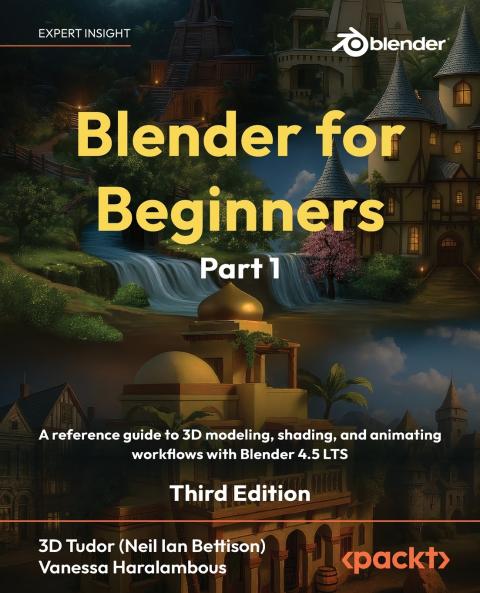
<p><strong>Build real-world skills as you create top-tier animations and 3D models with professional lighting and camera setups turning theory into a portfolio-worthy showcase</strong></p><p><strong>Free with your book: DRM-free PDF version + access to Packt's next-gen Reader*</strong></p><p><strong>Key Features:</strong></p><p>- Learn 3D modeling fundamentals in Blender from an expert team of tutors who've taught over 250000 students worldwide</p><p>- Start with the basics and build your skills through a series of projects to create a complex world</p><p>- Please note: the Kindle version combines Parts 1 and 2 of the book</p><p><strong>Book Description:</strong></p><p>Blender for Beginners Part 1 is your hands-on visual introduction to Blender brought to you by the educators at 3D Tudor who've helped over 250000 students worldwide master 3D design. Starting Blender can feel daunting but this first part makes it approachable. You'll develop smart habits and clean workflows to keep projects organized. From setting up a readable interface and clean navigation to mastering reliable modeling tools that create shading-friendly results every lesson builds your foundation as a confident 3D artist.</p><p>Through easy-to-follow exercises you'll learn how to install Blender navigate key menus and viewport modes and use essential tools like Extrude Bevel and Loop Cut. You'll build small assets and understand why seams sharps normals and pivots matter for clean surfaces and predictable shading. Neil adds a touch of British humor that will keep you engaged throughout even as you unwrap UVs using seams and projections measure texel density and explore trim sheets and UDIM basics. With principled PBR materials and Node Wrangler shortcuts you'll progress from flat clay to believable surfaces. Everything is taught step by step with keystroke callouts and definitions.</p><p>By the end of this part your models will look great under lighting your topology will behave and your files will be ready for 3D animation-setting you up for Geometry Nodes rendering and compositing in Part 2.</p><p>*Email sign-up and proof of purchase required</p><p><strong>What You Will Learn:</strong></p><p>- Customize Blender for speed by clearing workspaces overlays the Status Bar and Outliner filters</p><p>- Model with precision using Extrude Inset Bevel Loop Cut Knife Spin Slide Shear and Rip</p><p>- Produce shading-friendly topology with bridges fills smoothing Auto Smooth and sharps</p><p>- Shape faster with curves modifiers lattices and constraints and stay non-destructive</p><p>- Keep meshes clean with selections transforms normals naming and file organization</p><p>- Build principled PBR materials with Node Wrangler and Ambient Occlusion helpers</p><p><strong>Who this book is for:</strong></p><p>If you're a video game enthusiast looking to gain experience in 3D modeling 3D rendering game design and animation for game props assets and environments this Blender book is for you. It's ideal for character artists game designers motion graphics designers animators environment artists and other technical artists. No prior Blender experience is required but a general understanding of digital art concepts will help you get the most out of this book.</p><p><strong>Table of Contents</strong></p><p>- Understanding Camera Control and Viewport Navigation in Blender</p><p>- Optimizing Workflow with the Status Bar Workspaces and File Options</p><p>- Exploring Blender's Properties Panel for Optimal 3D Creativity</p><p>- Unleashing the Potential of Blender's Outliner and Add-On Ecosystem</p><p>- Going Over Proportional Editing Transform Orientation and Viewport Shaders</p><p>(N.B. Please use the Read Sample option to see further chapters)s</p>

Piracy-free

Assured Quality

Secure Transactions

Fast Delivery

Sustainably Printed
Details
ISBN 13
9781837631094
Publication Date
-28-11-2025
Pages
-702
Weight
-1205 grams
Dimensions
-191x235x35.68 mm
