

English
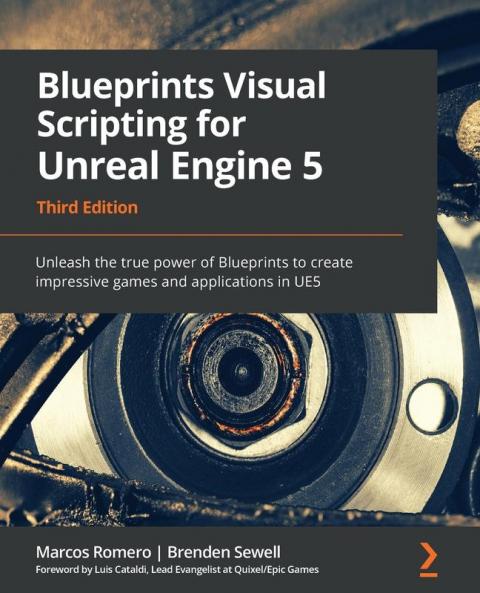


Paperback
₹7659
₹9996
23.38% OFF
(All inclusive*)
Delivery Options
Please enter pincode to check delivery time.
*COD & Shipping Charges may apply on certain items.
Review final details at checkout.
Looking to place a bulk order? SUBMIT DETAILS

Piracy-free

Assured Quality

Secure Transactions
About The Book
Description
Author(s)
<p><strong>Explore the faster way to build games using UE5 Blueprints through clear visuals step-by-step projects and real-world workflows in this illustrated guide</strong></p><h4>Key Features</h4><p>- Design a fully functional game in UE5 without writing a single line of code</p><p>- Implement visual scripting to develop gameplay mechanics UI visual effects VR and artificial intelligence</p><p>- Deploy your game on multiple platforms and share it with the world</p><h4>Book Description</h4><p>Unreal Engine's Blueprint visual scripting system enables designers to script their games and programmers to create base elements that can be extended by designers. With this book you'll explore all the features of the Blueprint Editor along with expert tips shortcuts and best practices.</p><p>The book guides you through using variables macros and functions and helps you learn about object-oriented programming (OOP). You'll discover the Gameplay Framework and advance to learning how Blueprint Communication allows one Blueprint to access information from another Blueprint. Later chapters focus on building a fully functional game step by step. You'll start with a basic first-person shooter (FPS) template and each chapter will build on the prototype to create an increasingly complex and robust game experience. You'll then progress from creating basic shooting mechanics to more complex systems such as user interface elements and intelligent enemy behavior. The book demonstrates how to use arrays maps enums and vector operations and introduces the elements needed for VR game development. In the final chapters you'll learn how to implement procedural generation and create a product configurator.</p><p>By the end of this book you'll have learned how to build a fully functional game and have the skills required to develop an entertaining experience for your audience.</p><h4>What you will learn</h4><p>- Understand programming concepts in Blueprints</p><p>- Create prototypes and iterate new game mechanics rapidly</p><p>- Build user interface elements and interactive menus</p><p>- Use advanced Blueprint nodes to manage the complexity of a game</p><p>- Explore all the features of the Blueprint editor such as the Components tab Viewport and Event Graph</p><p>- Get to grips with OOP concepts and explore the Gameplay Framework</p><p>- Work with virtual reality development in UE Blueprint</p><p>- Implement procedural generation and create a product configurator</p><h4>Who this book is for</h4><p>This book is for anyone interested in developing games or applications with UE5. Although basic knowledge of Windows OS is required experience in programming or UE5 is not necessary.</p><h4>Table of Contents</h4><p>- Exploring the Blueprint Editor</p><p>- Programming with Blueprints</p><p>- Object-Oriented Programming and the Gameplay Framework</p><p>- Understanding Blueprint Communication</p><p>- Object Interaction with Blueprints</p><p>- Enhancing Player Abilities</p><p>- Creating Screen UI Elements</p><p>- Creating Constraints and Gameplay Objectives</p><p>- Building Smart Enemies with Artificial Intelligence</p><p>- Upgrading the AI Enemies</p><p>- Game States and Applying Finishing Touches</p><p>- Building and Publishing</p><p>- Data Structures and Flow Control</p><p>- Math and Trace Nodes</p><p>- Blueprints Tips</p><p>- Introduction to VR Development</p><p>- Animation Blueprints</p><p>- Creating Blueprint Libraries and Components</p><p>- Procedural Generation</p><p>- Creating a Product Configurator using the Variant Manager</p>
Piracy-free
Assured Quality
Secure Transactions
Delivery Options
Please enter pincode to check delivery time.
*COD & Shipping Charges may apply on certain items.
Review final details at checkout.
Details
ISBN 13
9781801811583
Publication Date
-02-05-2022
Pages
-568
Weight
-980 grams
Dimensions
-191x235x29.27 mm
