

English


₹2299
₹2325
1.12% OFF
(All inclusive*)
Paperback
Delivery Options
Please enter pincode to check delivery time.
*COD & Shipping Charges may apply on certain items.
Review final details at checkout.
Looking to place a bulk order? SUBMIT DETAILS
Delivery Options
Please enter pincode to check delivery time.
*COD & Shipping Charges may apply on certain items.
Review final details at checkout.
About The Book
Description
Author
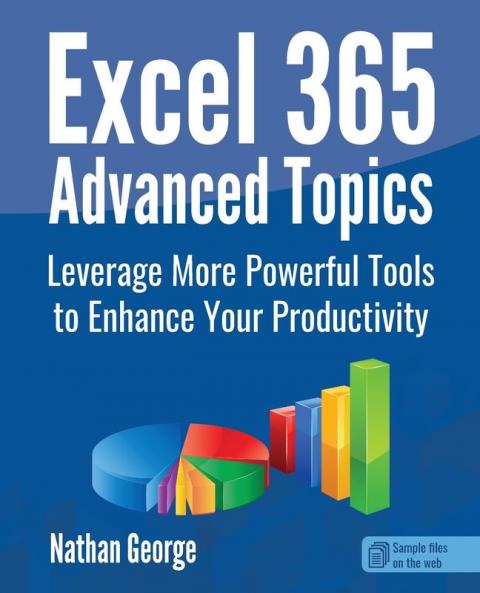
<h2>Gain expert Excel skills and easily perform complex tasks</h2><p><br></p><p>Whether you have basic Excel skills or you're a power user&nbsp;<em>Excel 365 Advanced Topics</em>&nbsp;is full of tips techniques and tools that will save you time and effort in performing challenging tasks in Excel. When building complicated spreadsheet solutions using the right tool in Excel can increase the accuracy and efficiency of your work. This book does not only show you how to use specific features but also in what context those features need to be used.</p><p><br></p><h2>Get real-world solutions for your data</h2><p><br></p><p><em>Excel 365 Advanced Topics</em>&nbsp;focuses on a selection of topics relevant to real-world productivity tasks you're likely to perform at home or at work requiring more than a basic knowledge of Excel. Even if you're an Excel power user you'll find lots of ideas and tips in this book that will save you time and effort.</p><p><br></p><p>Includes tons of examples and readymade formulas that you can copy and use in your own worksheets. The downloadable practice files enable you to follow the book hands-on which is the best way to learn.</p><p><br></p><p>This book covers Excel for Microsoft 365 (2023 update).</p><p><br></p><p><strong>In this book you'll learn how to:</strong></p><ul><li>Transform data in Excel using the Power Query Editor.</li><li>Remove duplicate rows from a data list.</li><li>Consolidate data from different worksheets or workbooks.</li><li>Import and use data from external sources like Microsoft Access databases CSV text files and websites.</li><li>Troubleshoot and fix formula errors with various tools.</li><li>Use functions like IFS and SUMIFS to create simpler but more efficient conditional formulas in place of convoluted nested IF functions.</li><li>Use modern dynamic array functions like TEXTBEFORE TEXTAFTER and TEXTSPLIT to manipulate text strings.</li><li>Carry out financial calculations with functions like PV FV and NPV.</li><li>Use&nbsp;<strong>Macros</strong>&nbsp;to automate Excel tasks.</li><li>Analyze different data scenarios and create projections with&nbsp;<strong>What-If Analysis</strong>&nbsp;tools.</li><li>Dynamically analyze large sets of data with&nbsp;<strong>Pivot Tables</strong>&nbsp;and&nbsp;<strong>Pivot Charts</strong>.</li><li>Protect your workbook worksheets or specific cells in your worksheets from unauthorized or accidental changes.</li></ul><p><br></p>

Piracy-free

Assured Quality

Secure Transactions

Fast Delivery

Sustainably Printed
Details
ISBN 13
9781915476098
Publication Date
-01-03-2023
Pages
-304
Weight
-534 grams
Dimensions
-191x235x16.18 mm
