

English


Paperback
₹4865
₹6287
22.62% OFF
(All inclusive*)
Delivery Options
Please enter pincode to check delivery time.
*COD & Shipping Charges may apply on certain items.
Review final details at checkout.
Looking to place a bulk order? SUBMIT DETAILS
Delivery Options
Please enter pincode to check delivery time.
*COD & Shipping Charges may apply on certain items.
Review final details at checkout.
About The Book
Description
Author
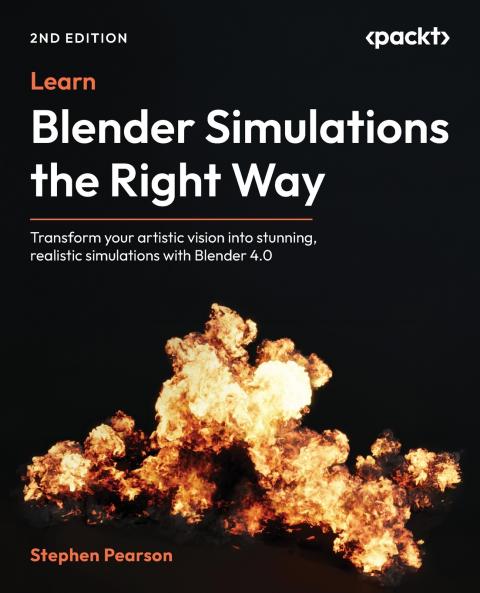
<p><strong>Founder of BlenderMadeEasy Stephen Pearson will take your Blender skills to the next level by helping you create realistic simulations like fire water and explosions in this beginner-friendly illustrated guide</strong></p><p><strong>DRM-free PDF version + access to Packt's next-gen Reader*</strong></p><p><strong>Key Features:</strong></p><p>- Gain in-depth knowledge of each physics-based simulation that Blender has to offer</p><p>- Construct advanced fire smoke and liquid animations using Blender's built-in Mantaflow system</p><p>- Create nine different realistic animations with step-by-step guides using every simulation in Blender</p><p><strong>Book Description:</strong></p><p>Ready to unleash the power of visual effects? From explosive movie scenes to mind-bending game animations this second edition pushes Blender 4.0+ beyond what you thought possible. Featuring a brand-new chapter on combining multiple simulations for a burning effect and updated guidance on rendering with EEVEE this book takes your Blender expertise to new heights.</p><p>While Blender excels in 3D modeling and animation this guide focuses specifically on VFX helping you master realistic simulations using EEVEE and Cycles. You'll explore five physics-based simulations-Fluid Rigid Body Soft Body Cloth and Dynamic Paint-learning essential settings troubleshooting techniques and practical workflows. Through nine hands-on projects including fire waterfalls and explosions you'll develop the skills to create stunning digital effects. Written by a VFX specialist who has taught thousands through best-selling courses this book will help you build an impressive portfolio of professional-quality VFX projects in Blender and bring your creative visions to life!</p><p>*Email sign-up and proof of purchase required</p><p><strong>What You Will Learn:</strong></p><p>- Create a realistic campfire simulation with sparks and motion blur</p><p>- Simulate a chaotic explosion using smoke fire and particle effects</p><p>- Implement Fluid simulation for a waterfall with waves and foam</p><p>- Use the Soft Body system to simulate a sphere moving through obstacles</p><p>- Apply Cloth physics to animate a waving flag attached to a pole with ropes</p><p>- Master the Rigid Body system to create a Rube Goldberg machine-like animation</p><p>- Animate painting effects and raindrops using Dynamic Paint</p><p>- Combine multiple simulation effects to create a burning effect animation</p><p><strong>Who this book is for:</strong></p><p>This book is for VFX artists 3D artists game designers and Blender artists who want to improve their skill set and learn all about the wonderful world of computer-generated physics simulations. Having a good grasp of the Blender interface is necessary to get started.</p><p><strong>Table of Contents</strong></p><p>- An Introduction to Mantaflow</p><p>- Understanding Domains Flows and Effectors</p><p>- Creating a Realistic Campfire Simulation</p><p>- Creating a Waterfall Using Mantaflow</p><p>- Creating a Realistic Explosion</p><p>- Getting Started with Soft Bodies</p><p>- Creating a Soft Body Obstacle Course</p><p>- An Introduction to Cloth Simulations</p><p>- Creating a Realistic Flag</p><p>- An Introduction to Rigid Bodies</p><p>- Creating a Rigid Body Physics Course</p><p>- An Introduction to Dynamic Paint</p><p>- Creating a Paintbrush Effect</p><p>- Creating a Raindrop Effect</p><p>- Creating a Burning-Up Effect</p>

Piracy-free

Assured Quality

Secure Transactions
Details
ISBN 13
9781836200055
Publication Date
-28-04-2025
Pages
-414
Weight
-720 grams
Dimensions
-191x235x21.4 mm
